Invite companies
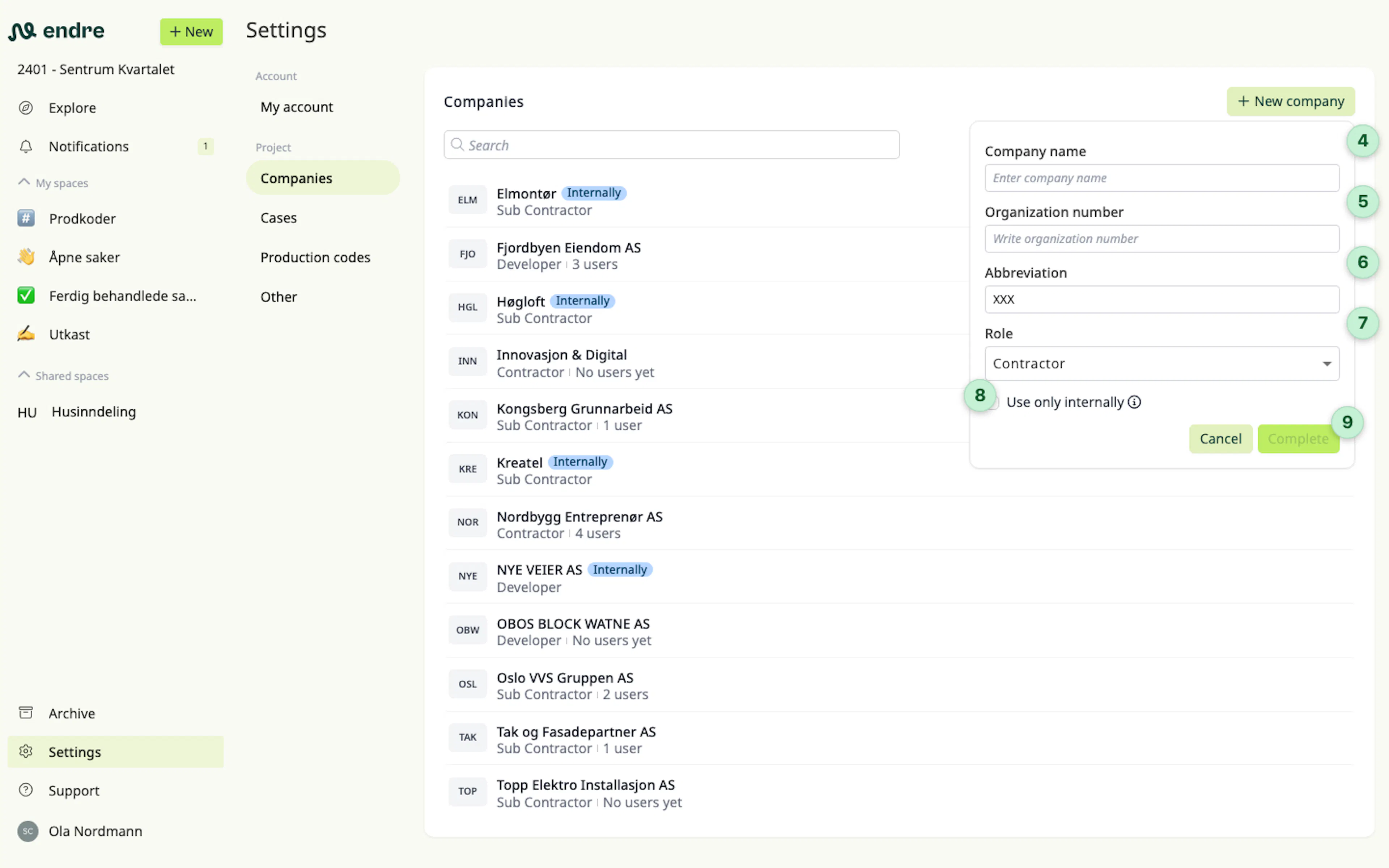
You can invite companies to the project by clicking Settings in the sidebar, then selecting Project in the top menu.
Scroll down to Companies and click New company 1. You can search for companies directly in the company register 2. If the company is not listed there, you can create it manually 3.
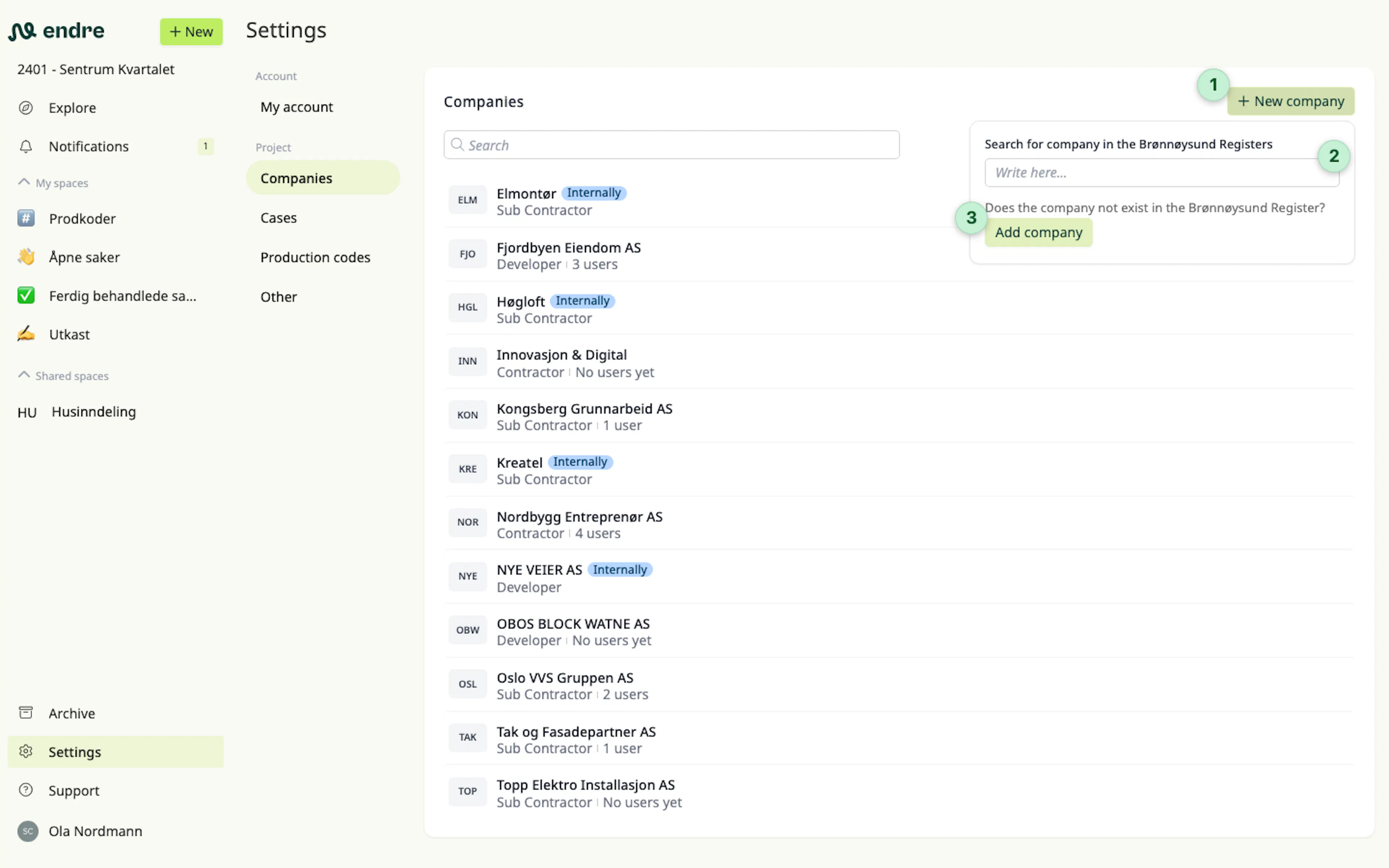
When you select a company from the register, the company name 4 and organization number 5 are filled in automatically. If you create the company manually, you can edit these details yourself.
The company short name 6 is used as a display name in various columns in case lists and inside cases.
With role 7 you can indicate whether the company is an owner, contractor or subcontractor in the project.
Choose Internal use only 8 if you want to create and complete cases against a company that does not adopt Endre.
When everything is ready, click Finish 9 and the company is added to the project.