Invite users
Once companies have been added to the project, you can invite users to them by clicking Settings in the side menu and then selecting Project in the top menu.
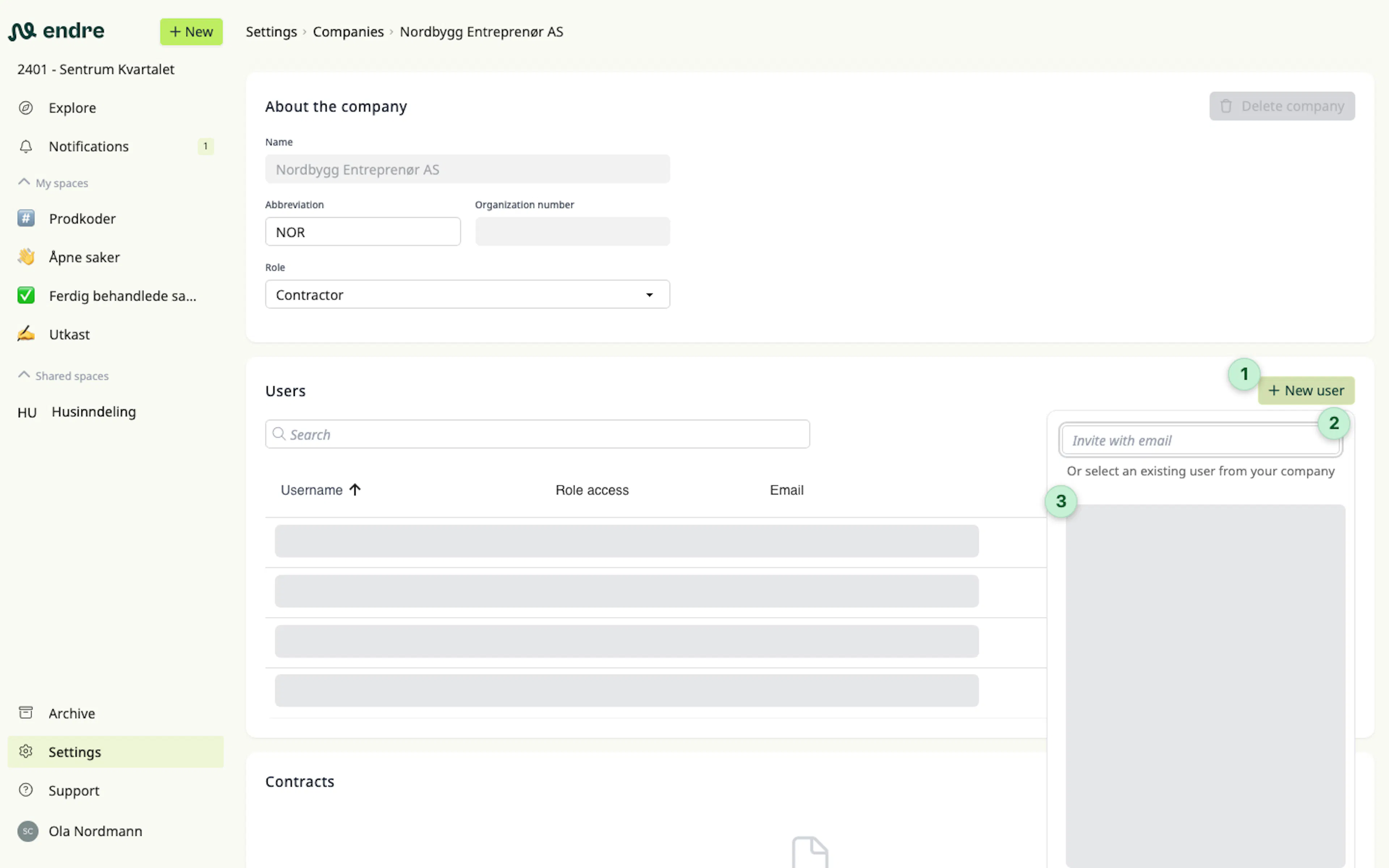
Scroll down to Users and click New user 1. Enter the email address of the user you want to invite 2.
If the user already exists in Endre and has previously been invited to your company in another project, you can find them directly in the list 3.
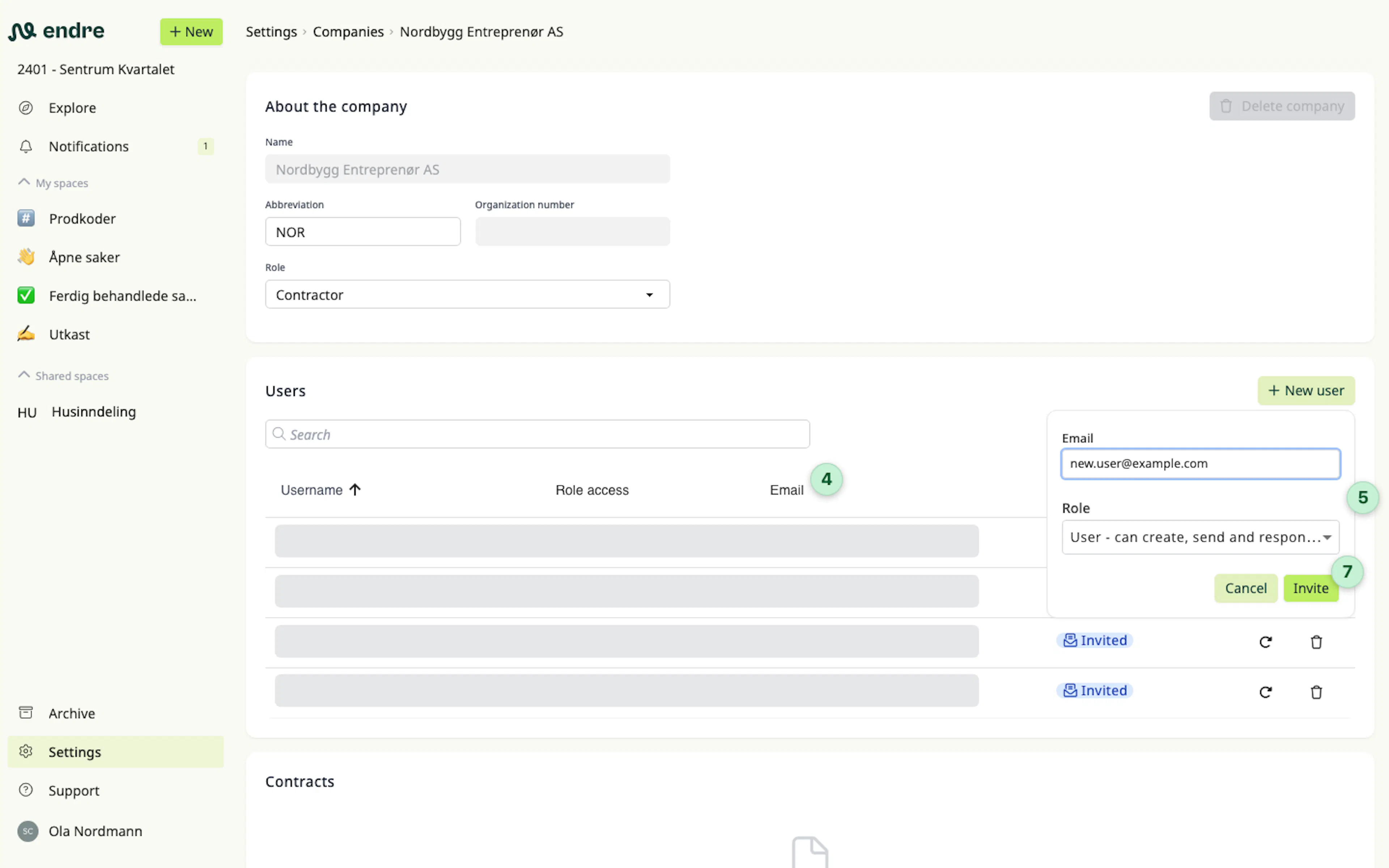
You can easily change which email address the invitation should be sent to 4.
With role 5 you decide the type of access the user will have in the project:
- User – can create, send and reply to cases.
- Project administrator – can also add companies and users.
- Reader – can only read cases.
Finally, choose which company the user should be associated with 6, and click Invite 7.
Was this page helpful?